
| Prototyping & Implementation

Coffee Collective

A Design Process Focused on Coffee

| Overview

Coffee consumers face a variety of challenges when brewing at home. Whether it be running in and out of the kitchen to prepare their coffee makers while also preparing for the day, they deal with machines that inhibit customization, time efficiency, and promote work flow interruptions. My team’s goal was to ease these pain points and develop a convenient at-home coffee solution.

Our Solution is Coffee Collective, a system that streamlines the at-home coffee experience. The system is a smart coffee maker that brews a variety of customizable drinks. Users can connect to their coffee makers using their mobile devices, allowing them to access the machine remotely. This access enhances the efficiency of the machine and the experience of the user.

Role

UX/UI Designer

Affiliation

DePaul University, Jarvis College of Computing and Digital Media

Areas

UX/UI Design

Design Goals

| Enhance the at-home coffee experience.

| Design an appealing and accessible interface.

| Develop the produce with a variety of users in mind.

| Regularly implement user feedback.

Design Process

| 1. Define

| Sketching

| Personas

| Moodboard

| Marketing Materials

| 2. Ideate

| Product Statement

| Key Features

| Monetization

| Persona with Narrative Prototype

| 3. Mid-Fi Prototype

| Mobile Application

| Machine Interface

| Process Flows

| 4. Test

| 7 Adult Participants

| 4 Tasks

| Analyze Findings

| 5. Iterate

| Incorporate User Feedback

| Error Prevention

| Fitt’s Law

| Declutter

| 6. Hi-Fi Prototype

| Design System

| Mobile Application

| Machine Interface

| 7. Test

| 3 Adult Participants

| 4 Tasks

| Analyze Findings

1. Define

| Sketching
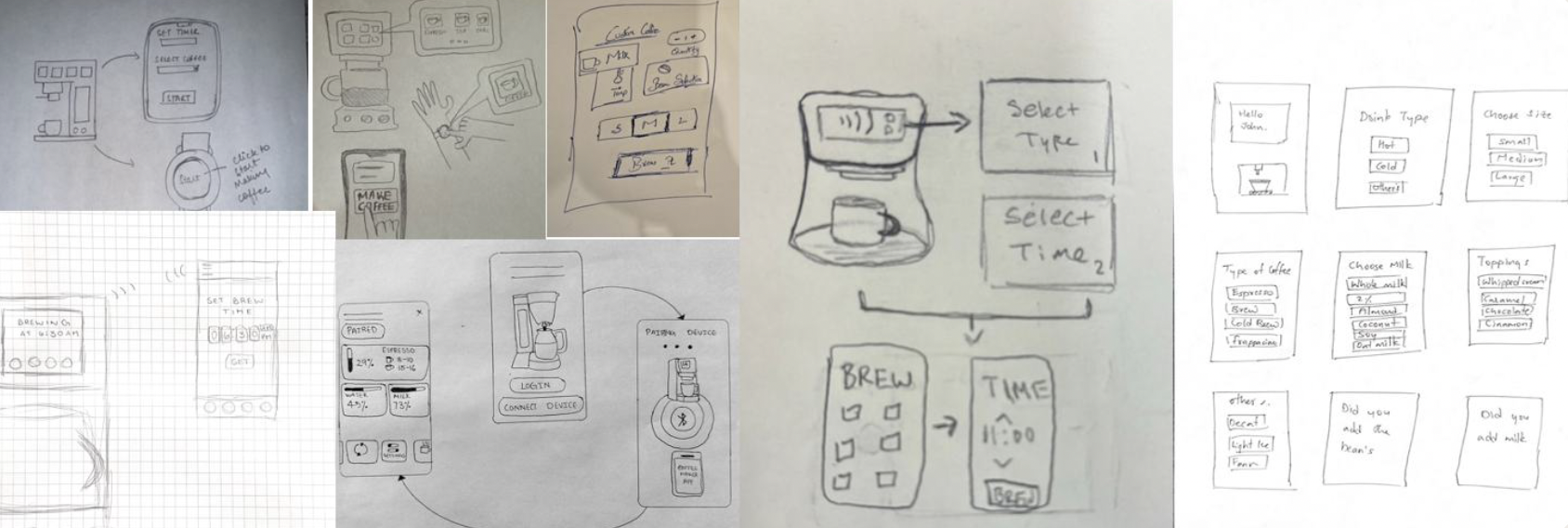
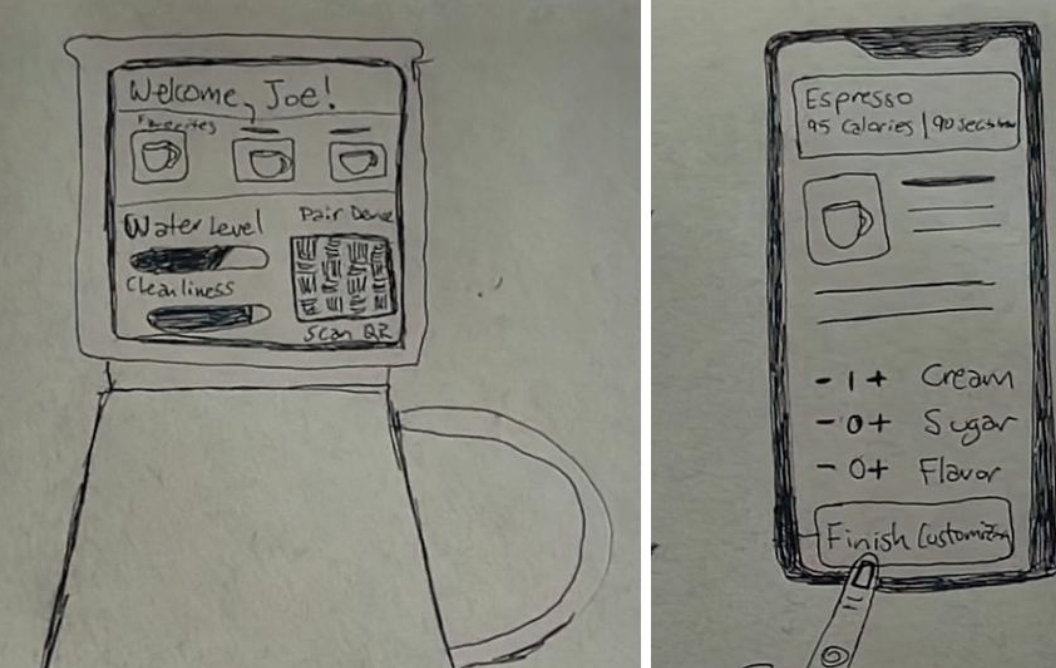
Collection of hand-drawn sketches depicting a coffee brewing process and interface designs, including coffee machine controls, timers, and input options.
Hand-drawn sketches of a coffee machine or app interface with customizable options. The first sketch shows a screen greeting 'Welcome, Joe!' with icons for coffee types, water level, cleanliness, a pair dial, and a scan QR code. The second sketch depicts a mobile app interface for espresso with options to customize cream, sugar, and flavor, and a button to finish customization.

| Personas & Scenarios

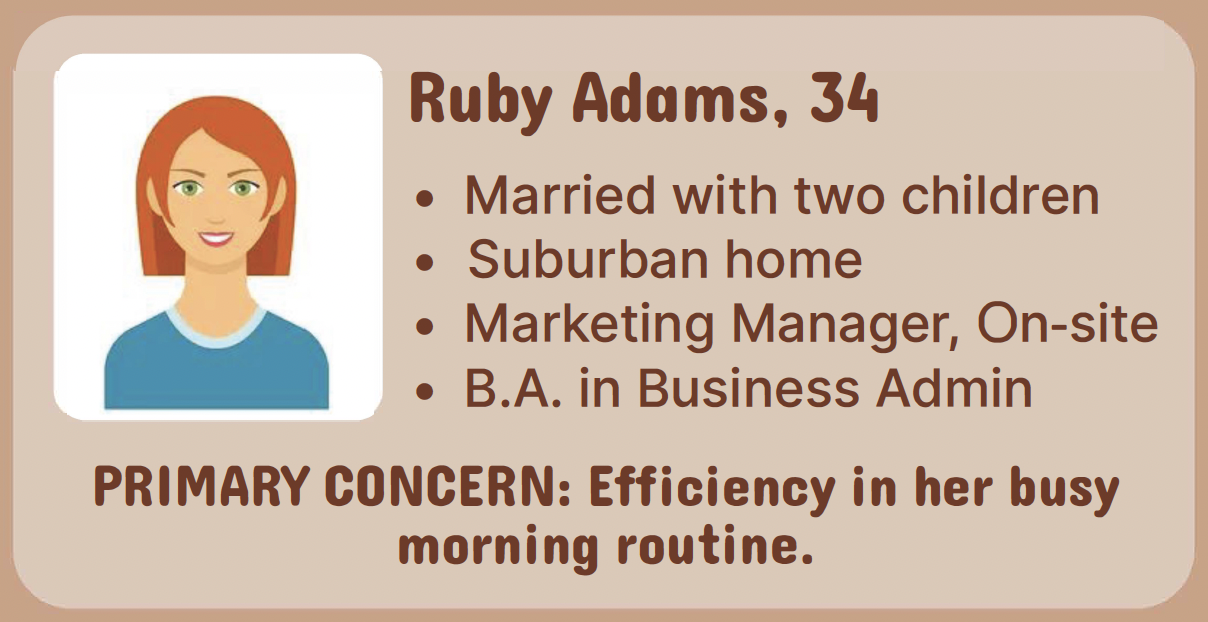
Illustration of a woman with red hair and green eyes, smiling, wearing a blue shirt, on a beige background with personal details and interests.
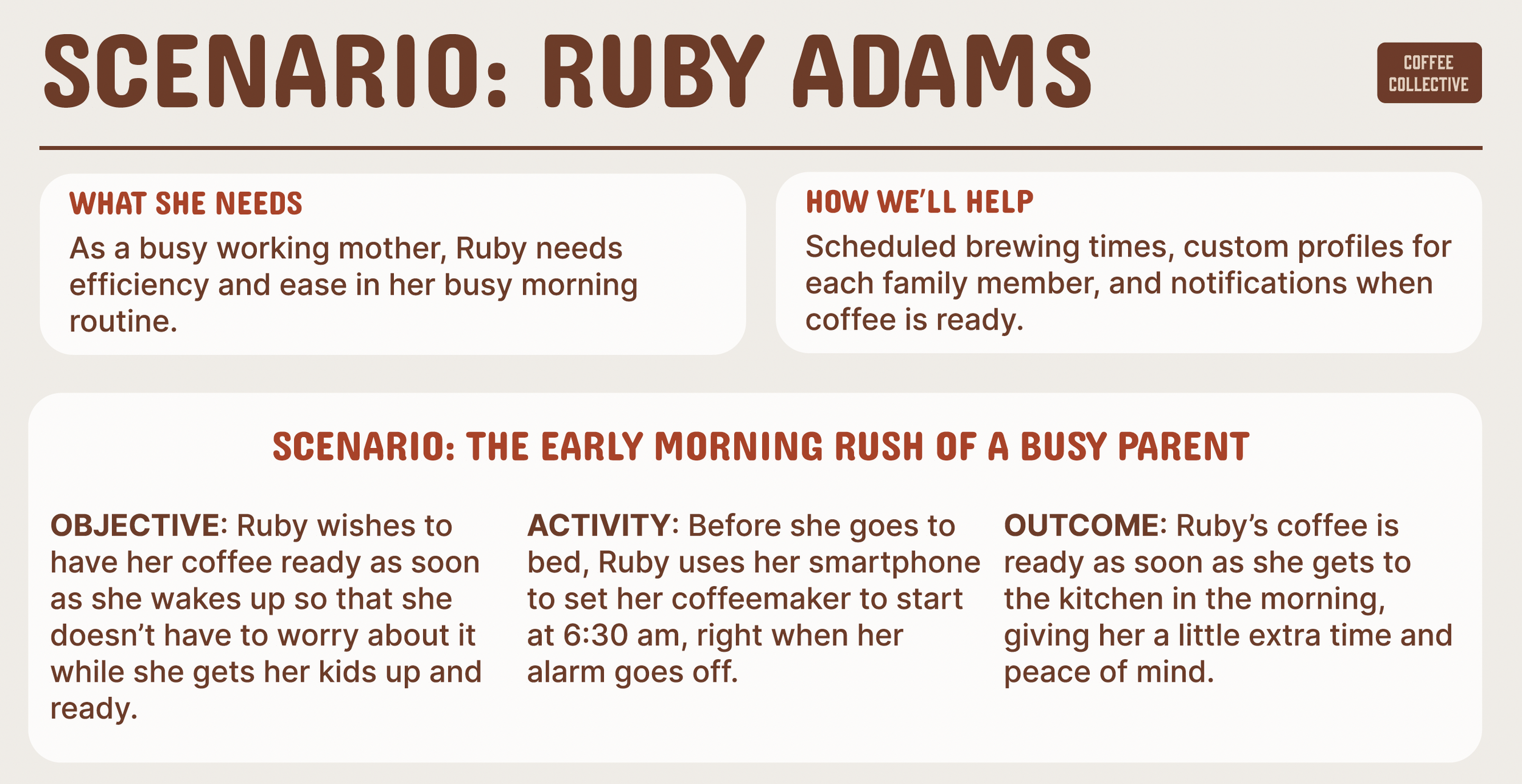
A detailed infographic titled "Scenario: Ruby Adams" with sections explaining her needs, help offered, and a specific scenario about her busy morning routine. Contains headings and text in brown and red fonts on a beige background.
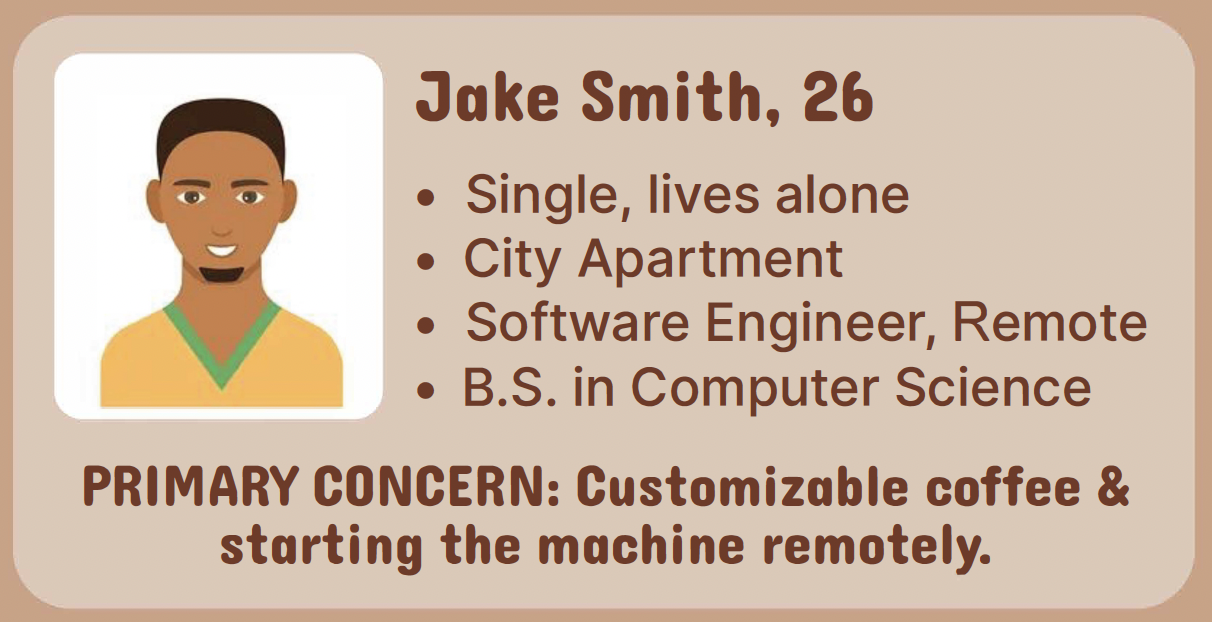
A digital avatar of a man with short dark hair, wearing a yellow shirt with green trim.
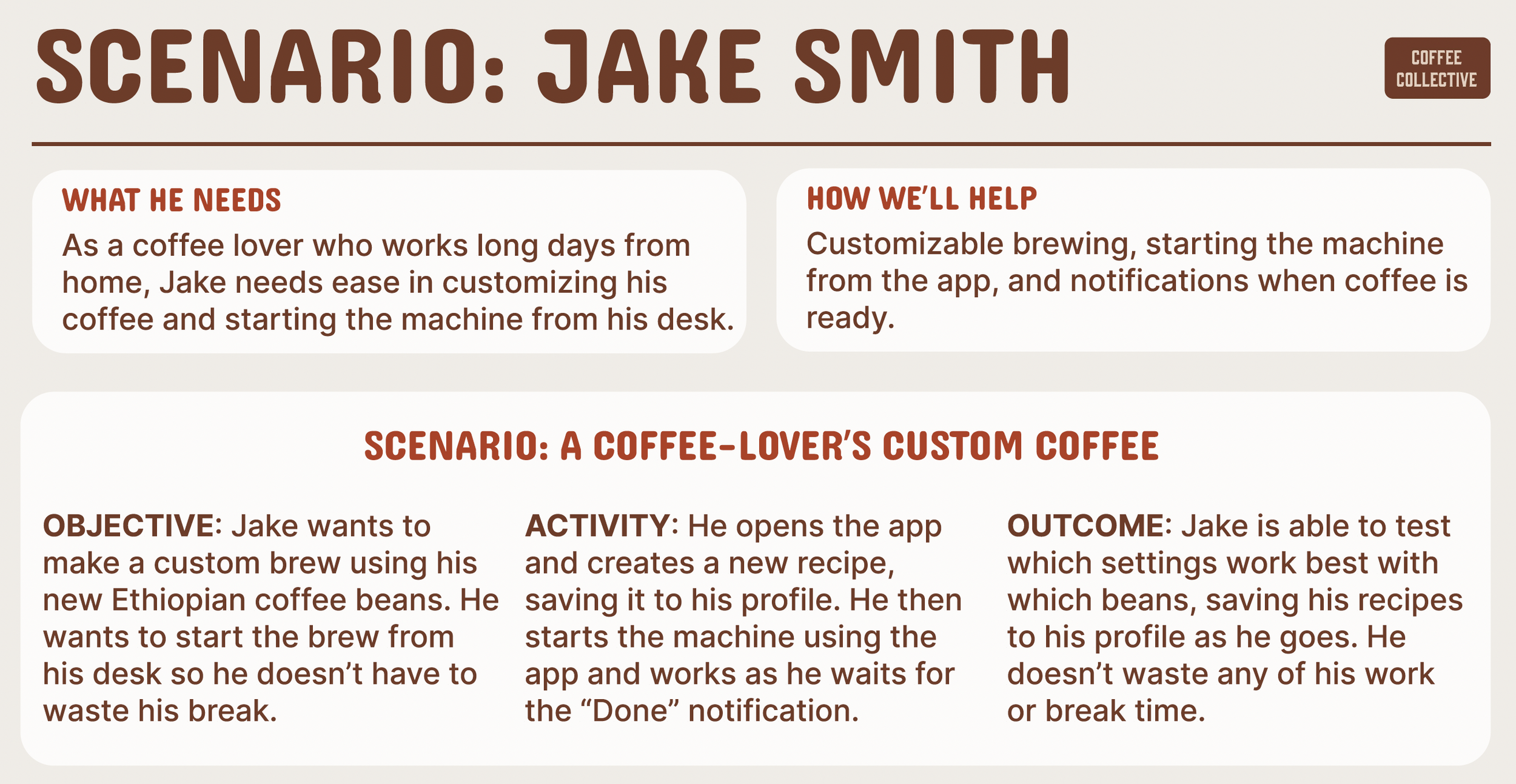
A infographic titled 'Scenario: Jake Smith' with sections titled 'What he needs', 'How we'll help', and 'Scenario: a coffee-lover's custom coffee'. The needs section mentions Jake, a coffee lover working long days from home, who needs easy coffee customization from his desk. The help section explains customizable brewing via an app and notifications. The scenario section describes Jake wanting to make a custom brew using Ethiopian coffee beans, starting the app, creating a recipe, and testing different settings to find the best combination.

| Moodboard & Marketing

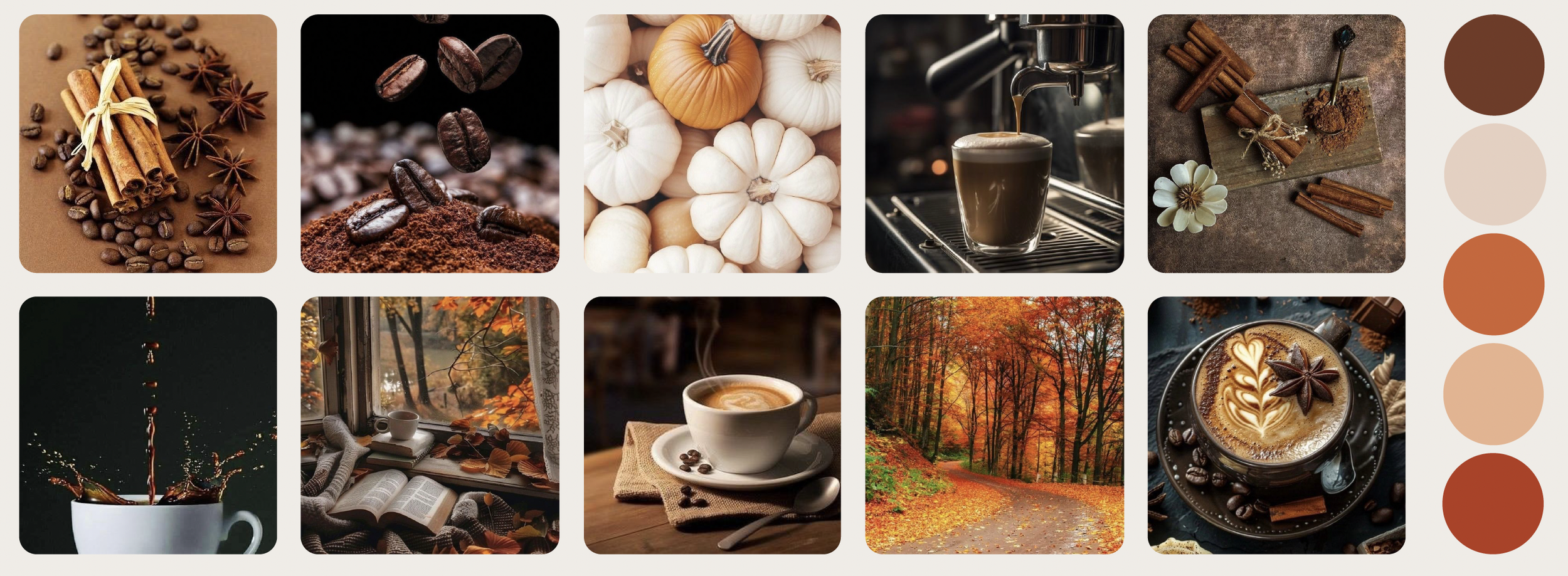
Collage of autumn-themed coffee and fall scenery images. Top row: cinnamon sticks with coffee beans, coffee grounds with coffee beans, white pumpkins with one orange pumpkin, coffee being poured into a glass, cinnamon sticks with a flower and spices. Bottom row: coffee mug with steaming coffee, cozy window seat with fallen leaves and books, cup of coffee with latte art, forest path with autumn leaves, decorated coffee cup with latte art and spices.
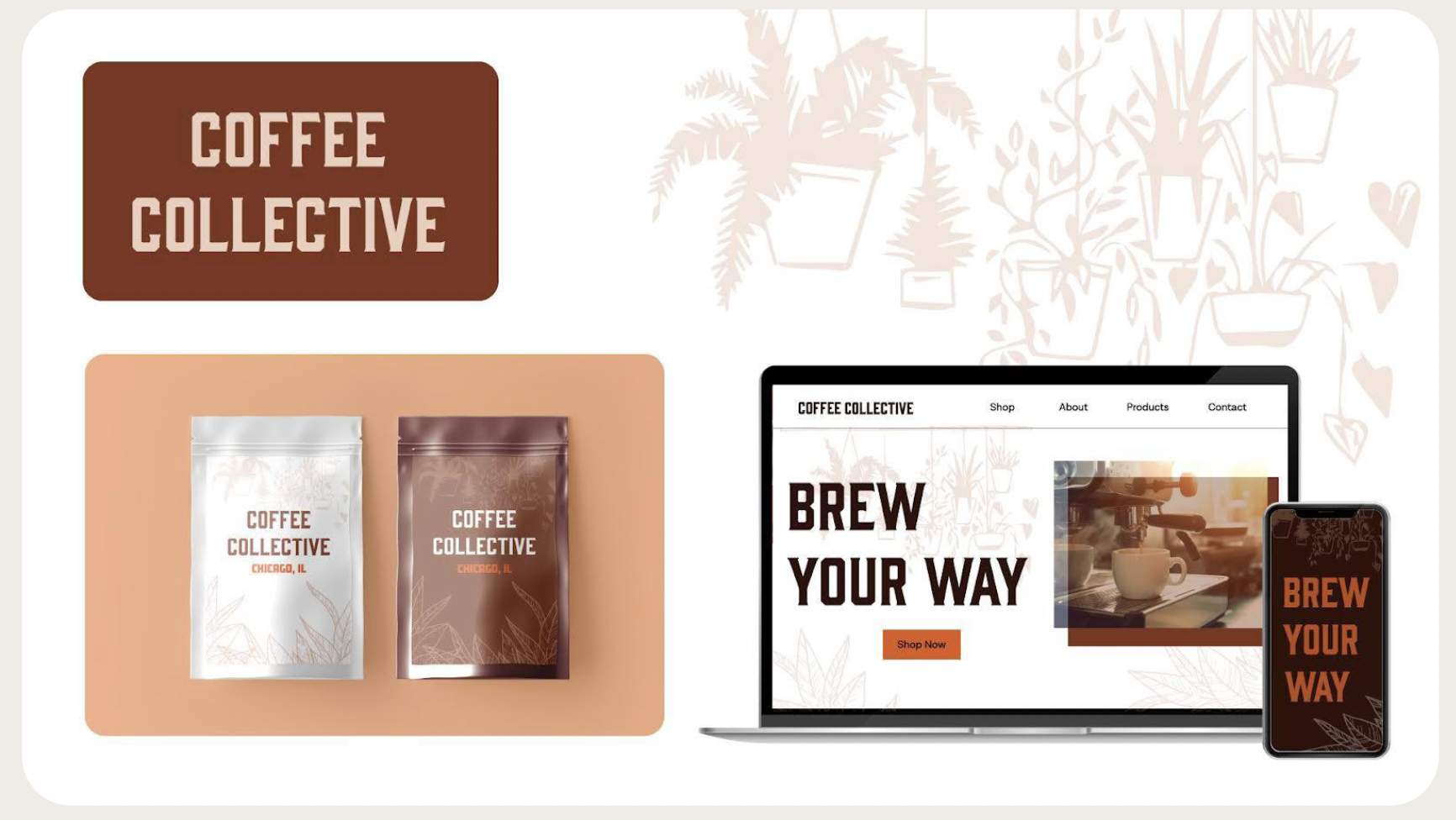
Graphic design promoting Coffee Collective with coffee bags, a website on a laptop, and a mobile phone, featuring warm earthy tones and plant illustrations.

2. Ideate

| Product Statement

The Coffee Collective systems aims to provide users with an at-home coffee experience that is as efficient, customizable, and enjoyable as possible. To enhance the coffee making experience, Coffee Collective provides users with the ability to customize coffee recipes, start the machine remotely, schedule brew times, create individual profiles for each household member, and more. This premium system streamlines the coffee experience for both casual coffee drinkers and enthusiastic coffee experts alike.

| Key Features

1. Custom coffee recipes that can be saved to a profile.

2. Scheduled brew times and remote start.

3. Scheduled cleaning times and remote start.

4. Separate user profiles for all household members.

5. Wide variety of coffee brews with advanced customization.

6. Notifications on the machine, app, or both when drinks are ready.

| Monetization
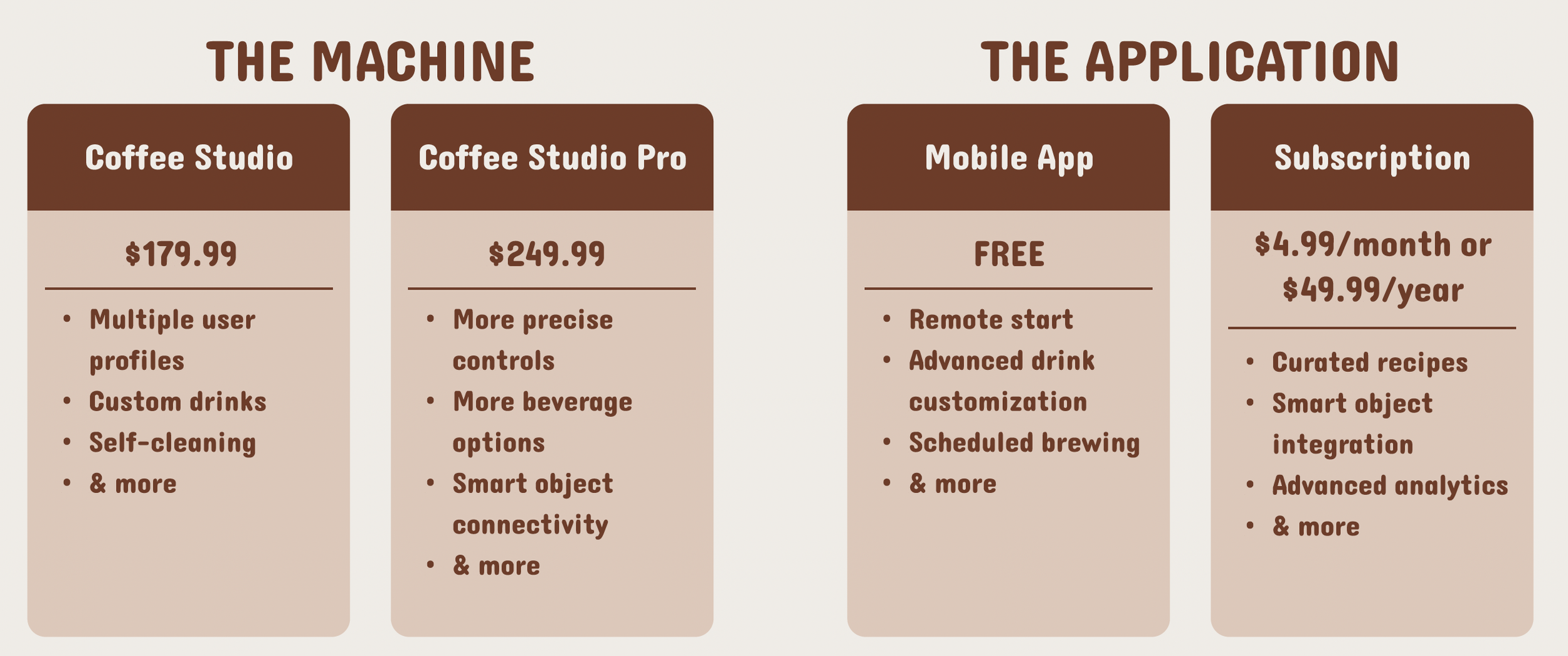
Pricing plans and features for a coffee-related app, including options for Coffee Studio and Coffee Studio Pro, and details about mobile app and subscription plans.

Narrative Digital Prototype

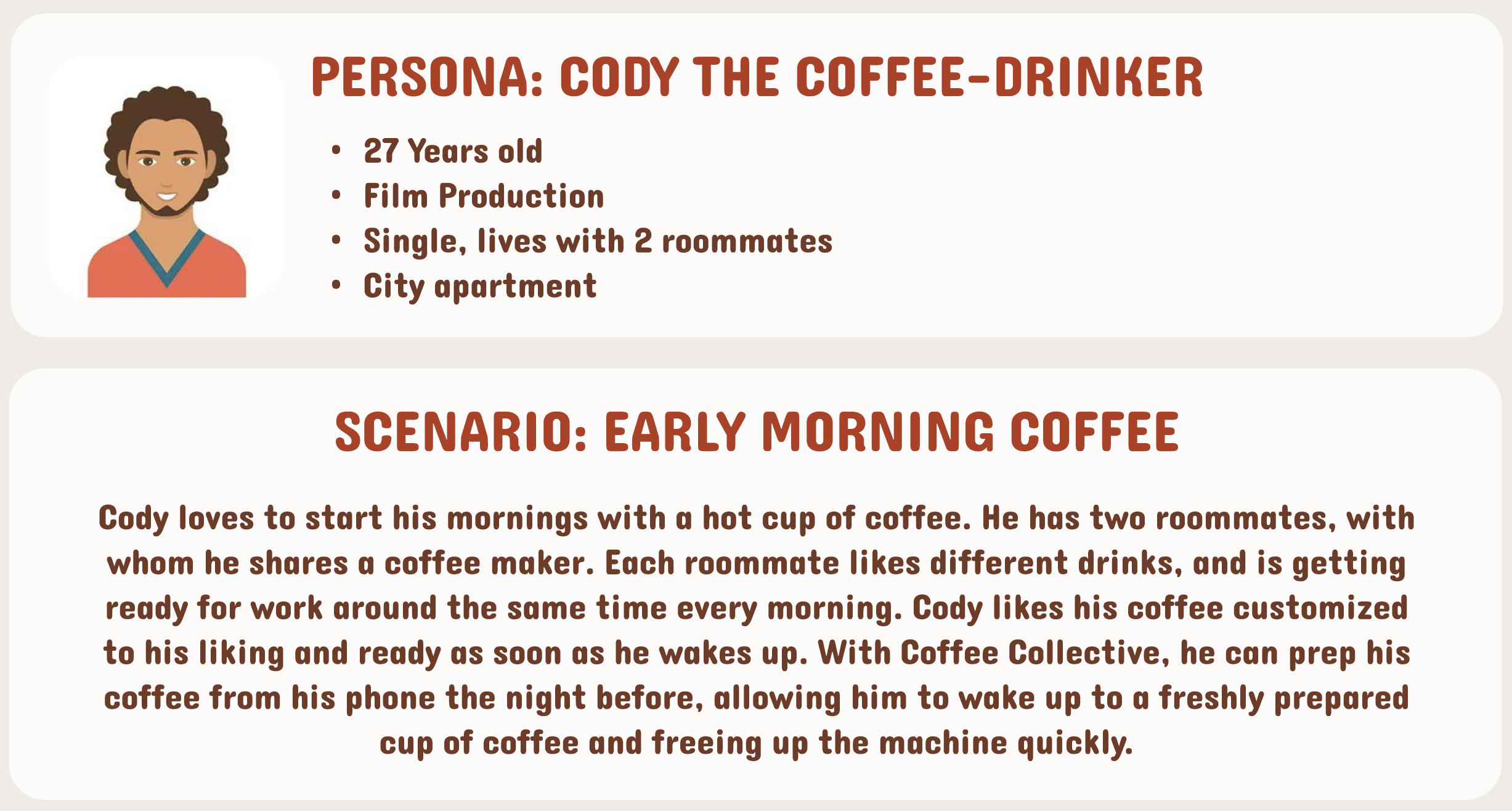
An infographic introducing Cody, a 27-year-old film producer who lives alone in a city apartment with two roommates. It describes his early morning coffee routine, including his customization preferences and how he uses Coffee Collective to prepare his coffee from his phone.
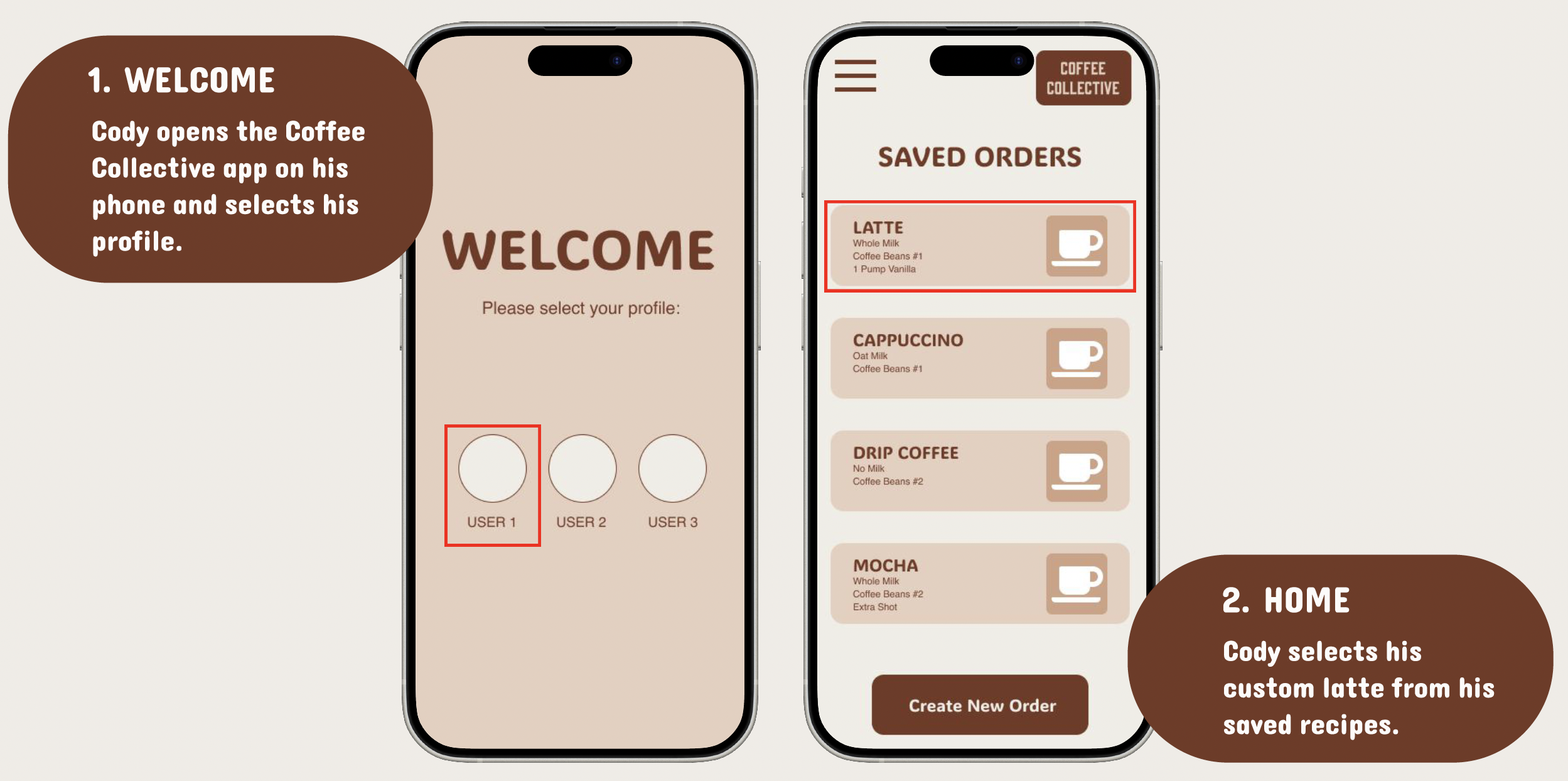
Guide showing how to use the Coffee Collective app on a smartphone. The first part, labeled 'WELCOME', has Cody opening the app and selecting his profile. The second part, labeled 'HOME', shows Cody choosing a saved latte recipe from his list of recipes.
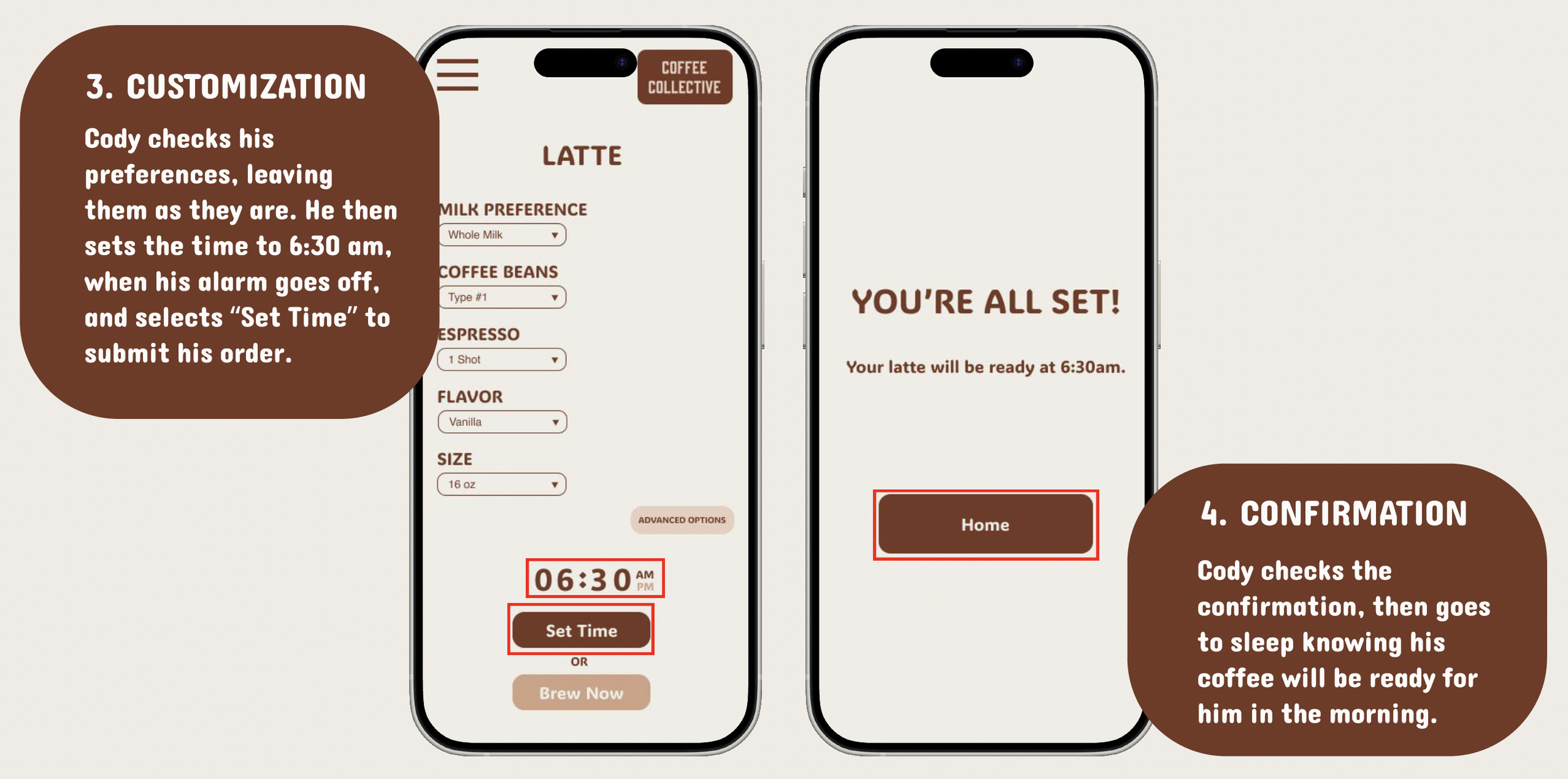
Mobile app screens showing coffee order customization and confirmation. The first screen displays options for milk preference, coffee beans, espresso, flavor, size, with a set time of 6:30 am, and a button to set the time. The second screen confirms the order with a message, "You're all set!" and the pickup time, with a "Home" button to return.
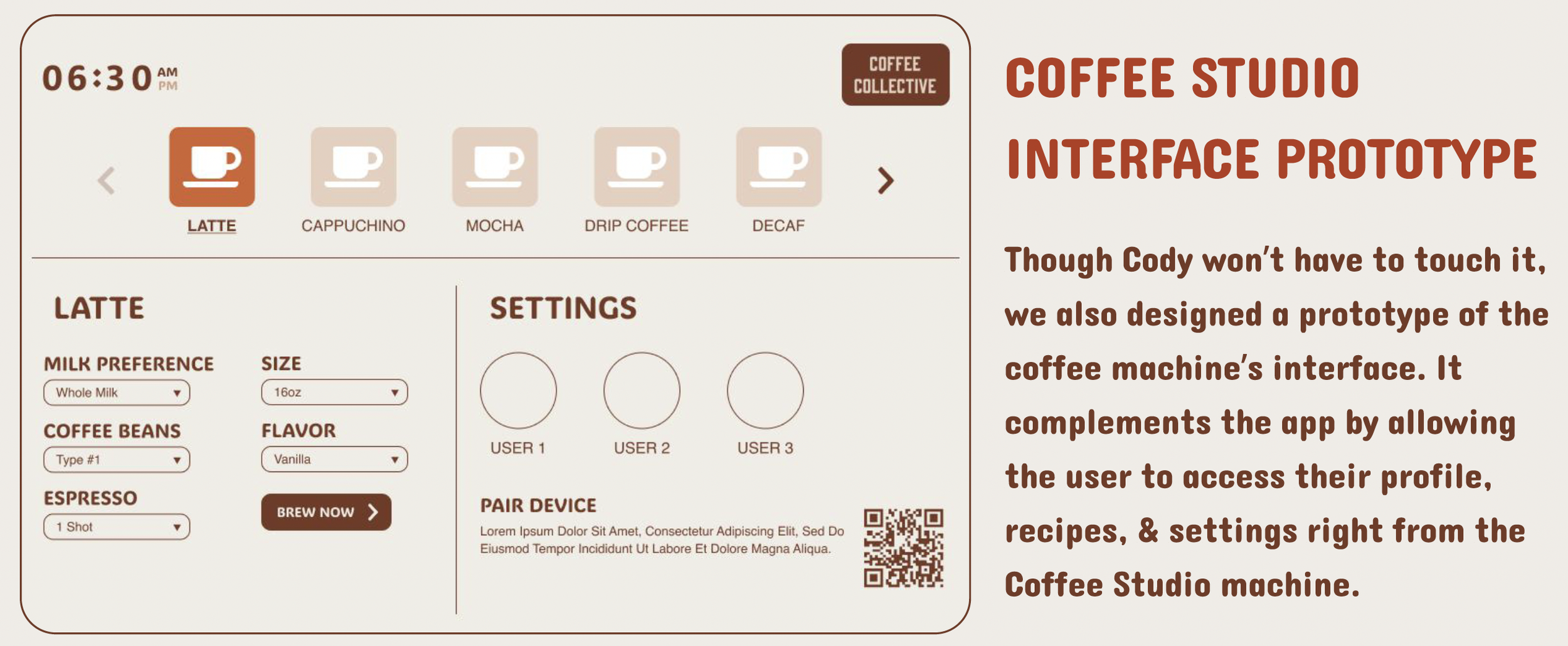
Coffee machine interface prototype showing options for coffee types, milk preference, size, coffee beans, flavor, and espresso shots, with a section explaining its purpose and a QR code.

3. Mid-Fi Prototyping

| Figma Link

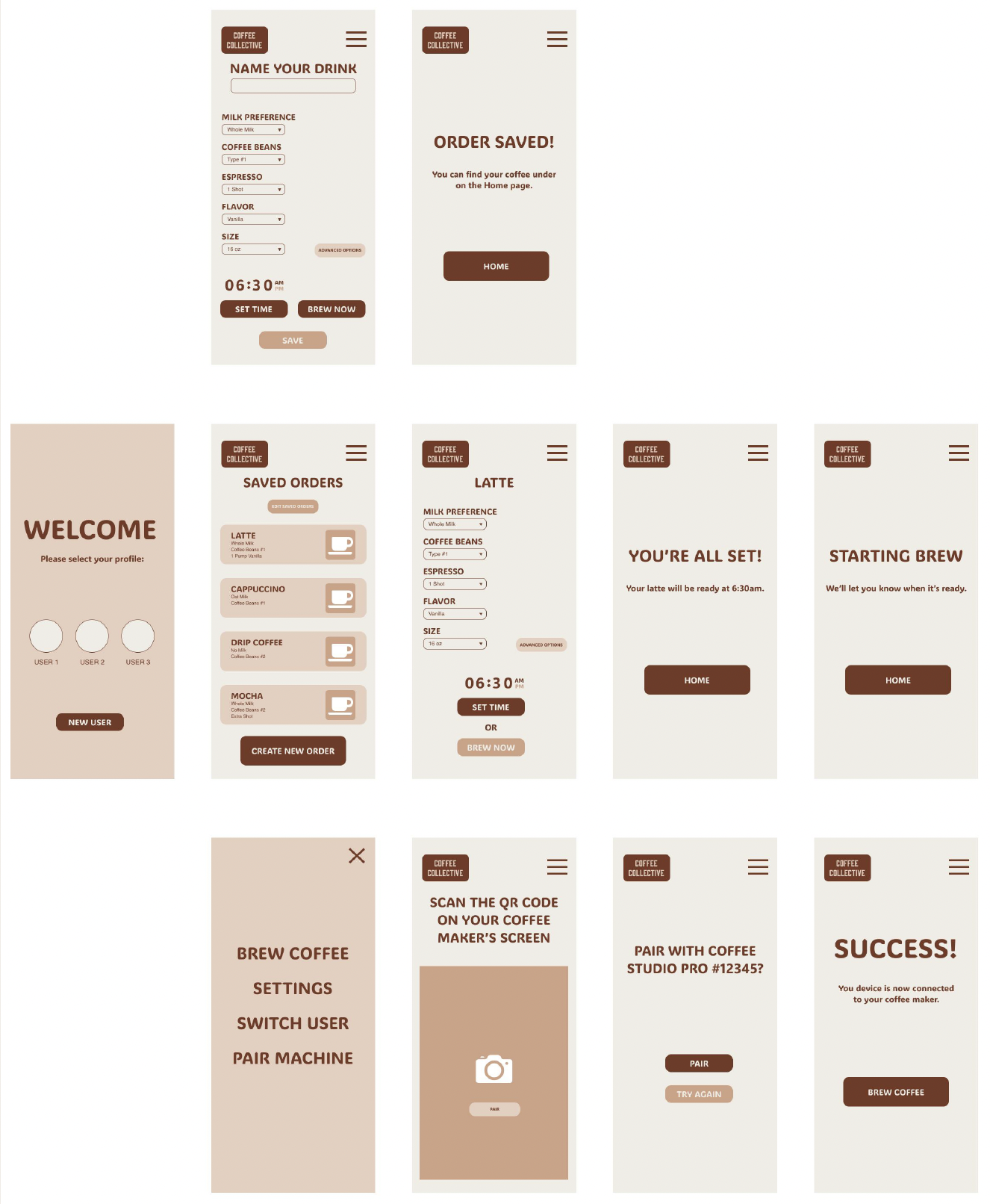
Series of mobile app screens for coffee ordering app, showing drink customization, saved orders, pairing devices, and success screens with various options and buttons.
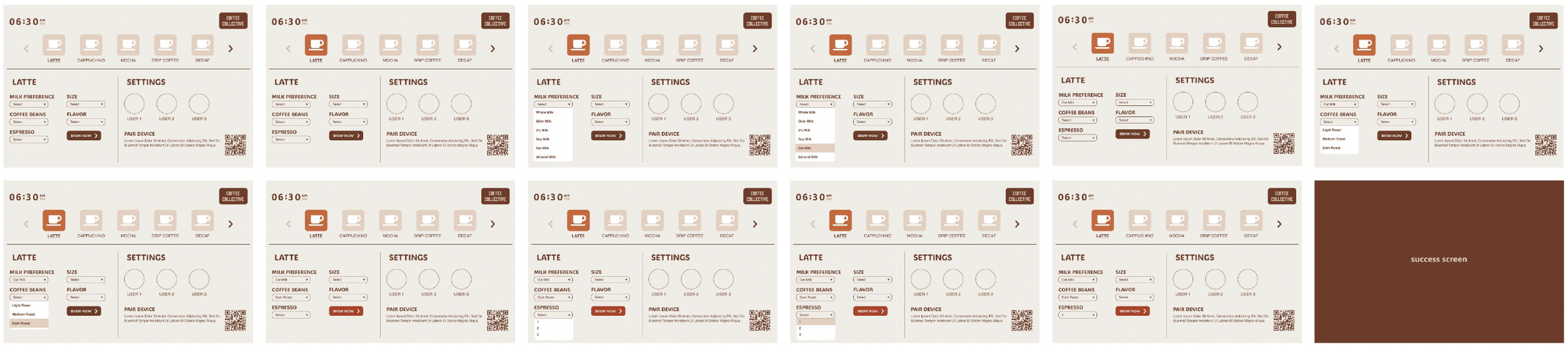
A series of screenshots from a coffee machine interface displaying options for coffee selections, settings, and a success screen.

4. Testing

| 7 Participants

Adults participants ages 19 - 55.

Participants of varying coffee drinking habits and technology familiarity were chosen to enhance the focus on usability rather than product enjoyment.

57% are daily coffee drinkers.

28% are occasional coffee drinkers.

14% are not coffee drinkers.

28% describe themselves as not tech-savvy.

28% work in technology.

14% use technology regularly.

| 4 Tasks

  • Schedule a coffee in advance.

  • Pair the device with the coffee machine.

  • Add a brew recipe to your profile.

  • Start a coffee brew on the machine interface.

| Findings

42% of participants did not understand the the app contained profile switching functionality.

14% requested a functionality tutorial.

14% were under the assumption brewing once should automatically save his order to the profile.

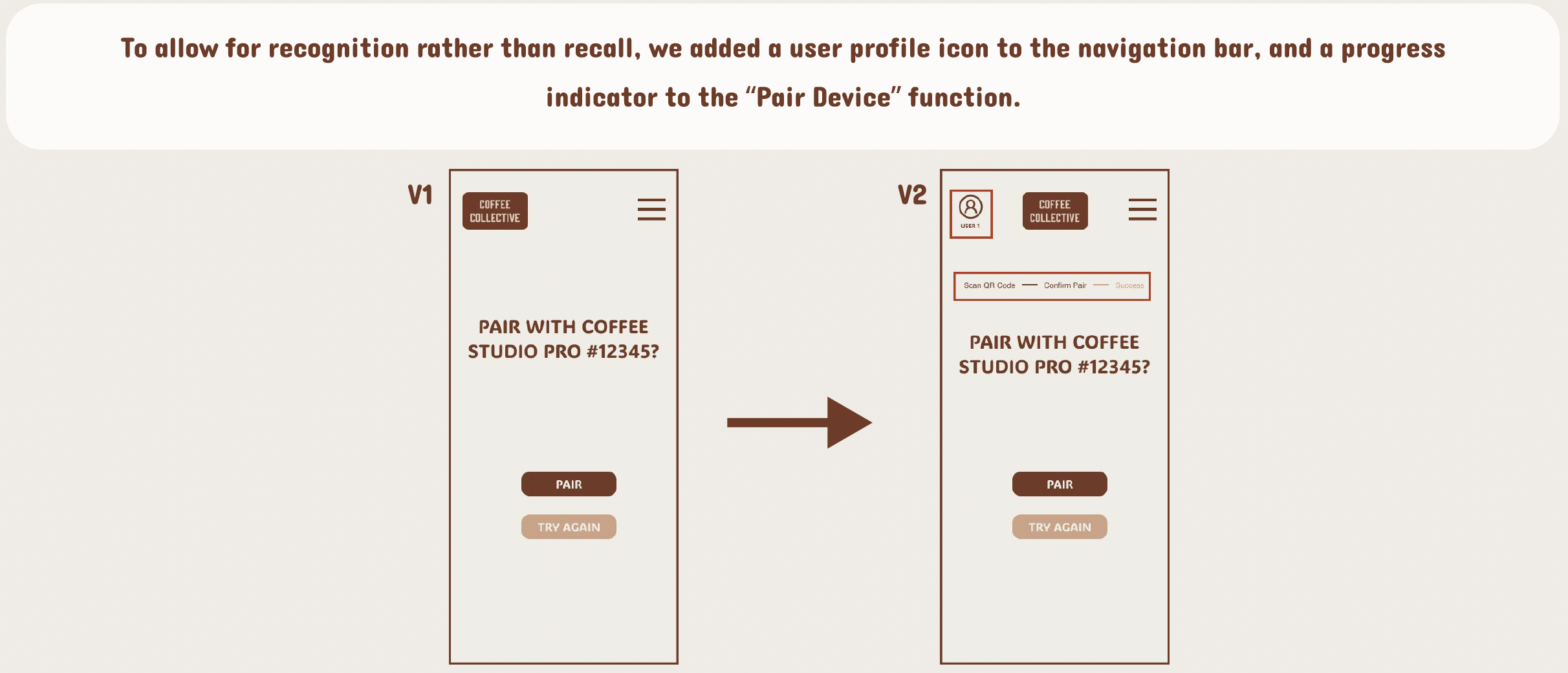
28% found it difficult to pair their devices and requesting a progress bar indicator.

28% found that “Brew Now” and “Set Time” button verbiage to be unclear and confusing.

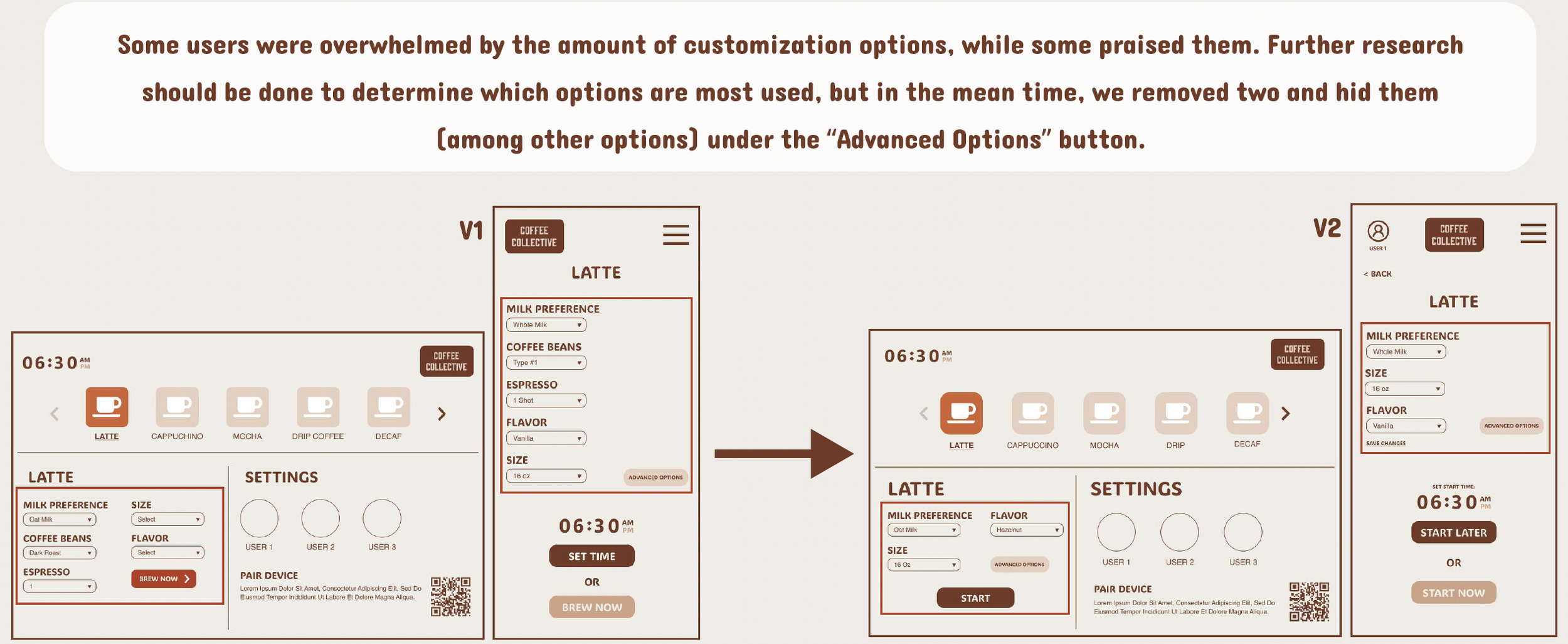
28% felt overwhelmed by the various options of coffee.

14% were pleased by the various options of coffee.

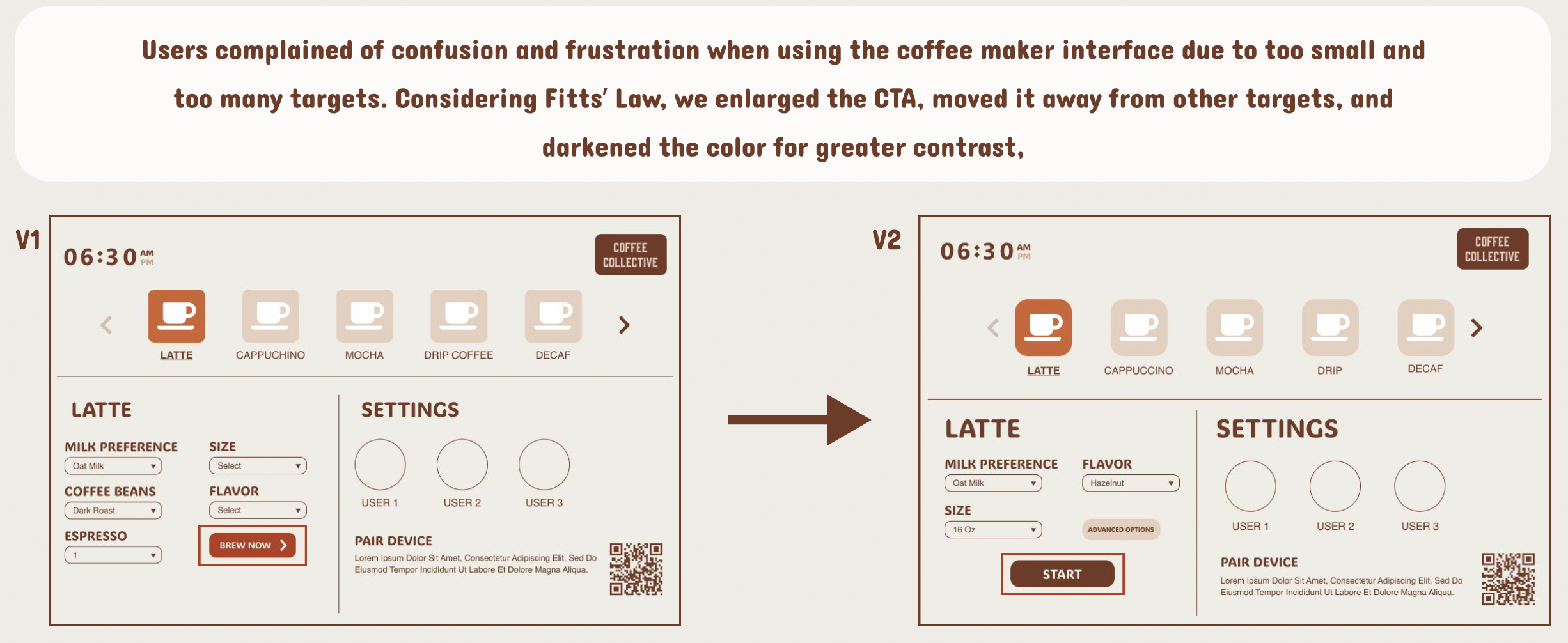
28% of participants encountered unmet desires while using the coffee machine interface. requesting larger and emphasized buttons for prominent coffee brewing functions.

5. Iteration
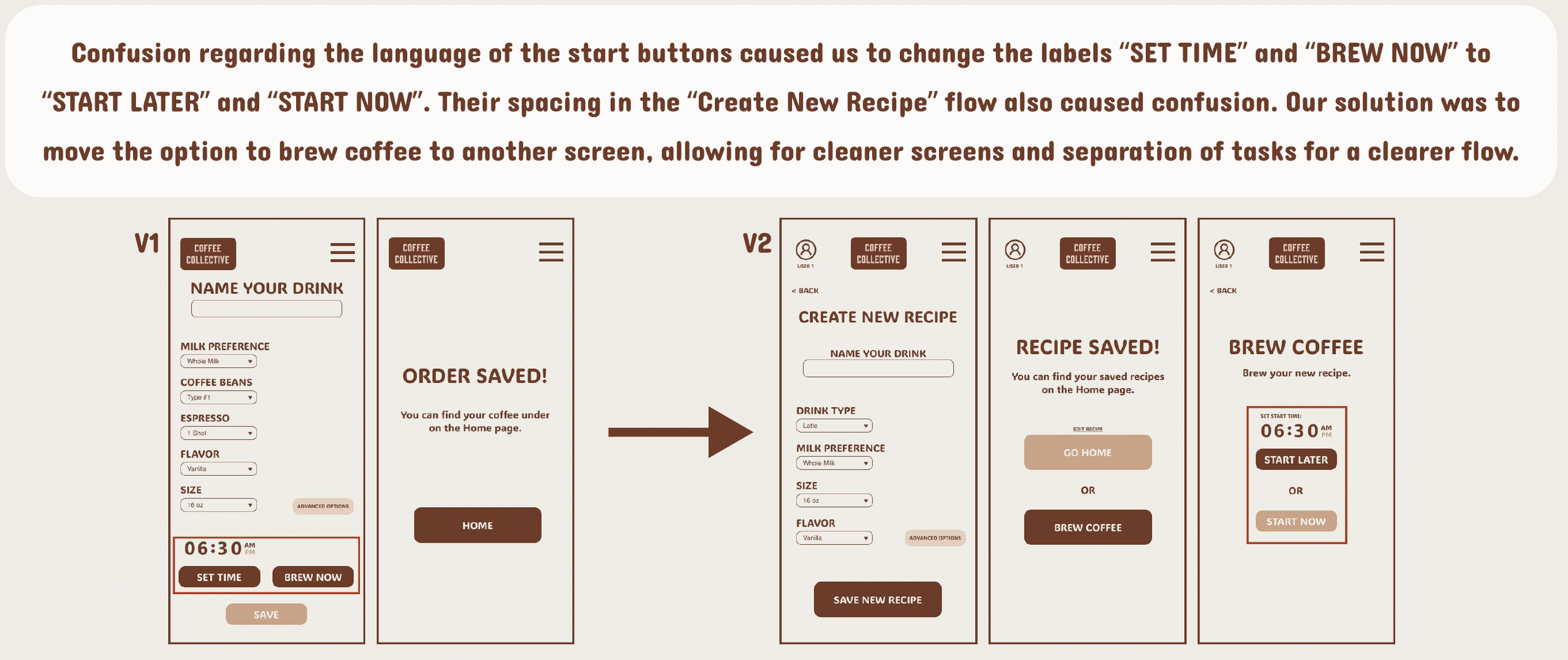
A sequence of five screenshots of a coffee app interface showing steps for customizing, saving, and brewing coffee, with labels and buttons for drink preferences, creating recipes, and start times.
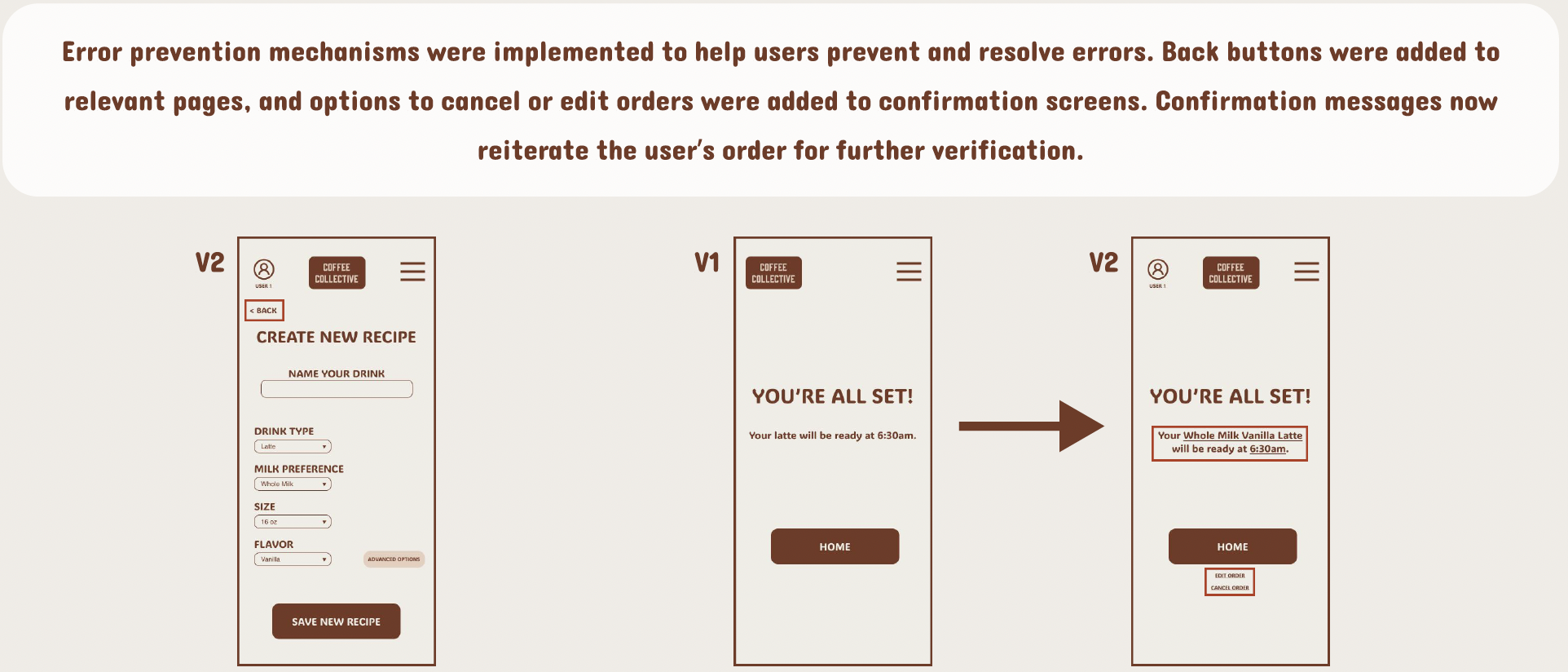
A digital interface displays a series of three mobile app screens related to a coffee order app, illustrating error prevention features. The first screen is titled "CREATE NEW RECIPE" with options to name a drink, select drink type, milk preference, size, and flavor, along with a "SAVE NEW RECIPE" button. The second screen shows a confirmation message "YOU'RE ALL SET!" indicating the latte will be ready at 6:30am with a "HOME" button. The third screen repeats the success message, showing the full milk vanilla latte ready at 6:30am, and includes options to "EDIT ORDER" or "CANCEL ORDER." Above the screens, a paragraph explains error prevention methods implemented, including back buttons, confirmation screens, and verification messages.
Comparison of user interface screens for a coffee machine, showing small and darkened target areas for easier selection.
Comparison of two app screens demonstrating a user profile icon added to the navigation bar and a progress indicator for a 'Pair Device' feature. The left screen displays version 1 with a menu icon, while the right screen shows version 2 with a user profile icon, a QR code scan section, and a success message for the pairing process.
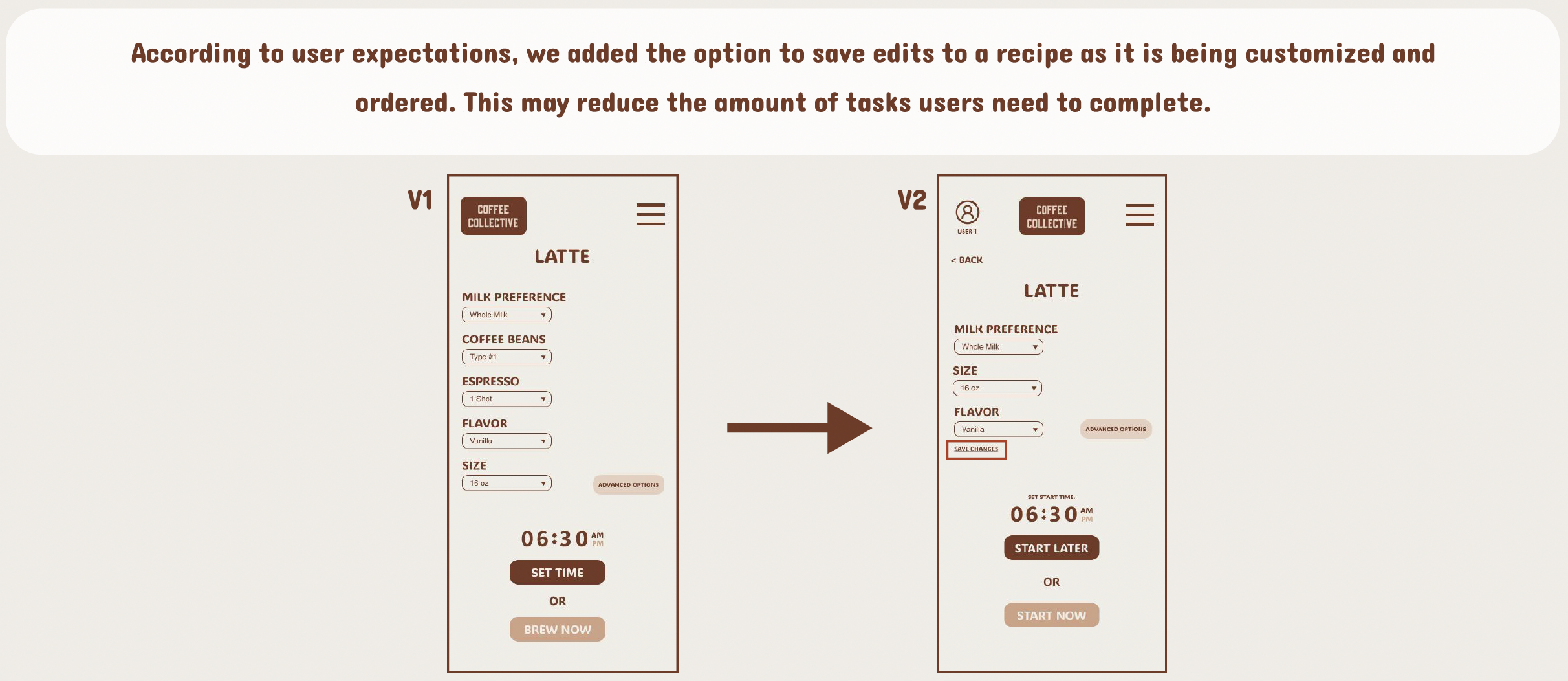
Side-by-side screenshots of a coffee ordering app. The first screen shows selected options for a latte with various customization options, including milk preference, coffee beans, espresso shot, flavor, size, and a scheduled start time. The second screen shows the same order with an added 'Save Chances' button, a different start time setting, and options to start later or now.
Comparison of two mobile app interface designs for a coffee ordering system, showing customization options like milk preference, size, flavor, and espresso shot, with buttons for setting time or starting order.

6. Hi-Fi Prototype

| Design System / Style Guide
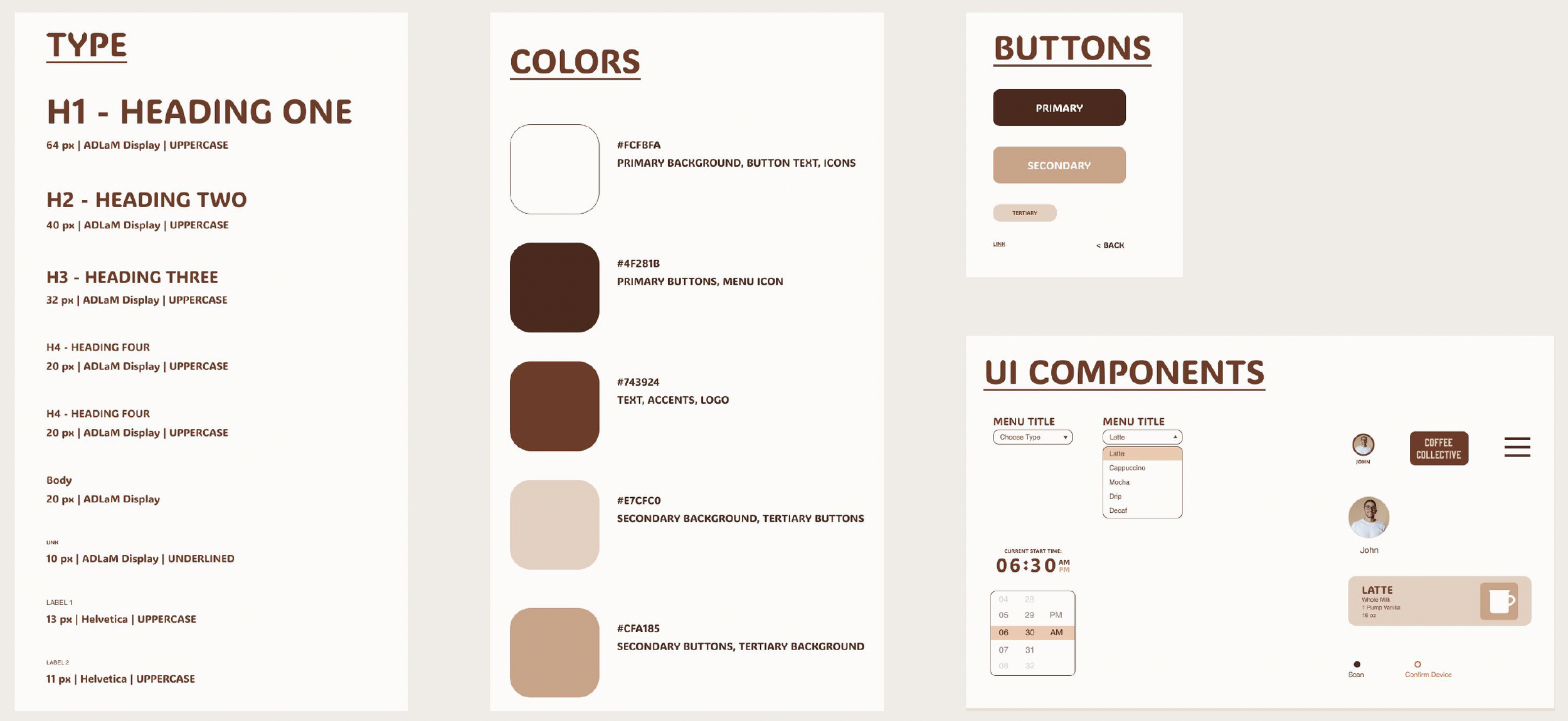
Design style guide showing typography, color palette with hex codes, button styles, UI components like menu and profile icons, and layout elements for a coffee shop app interface.

| Mobile App & Machine interface

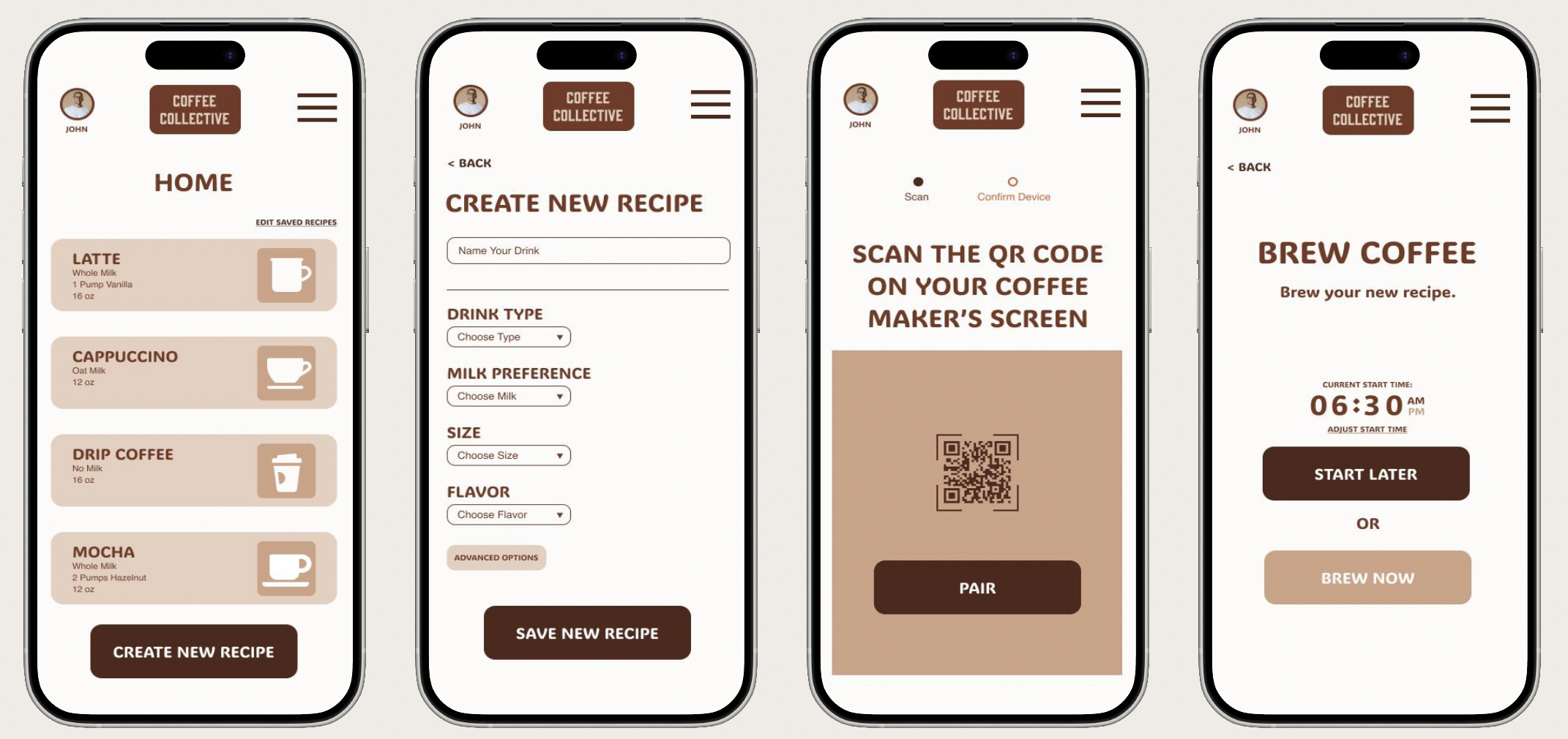
Screenshots of a coffee app showing different stages: a list of coffee recipes, a form to create a new recipe, a QR code scanner for coffee maker, and brewing a new coffee recipe.
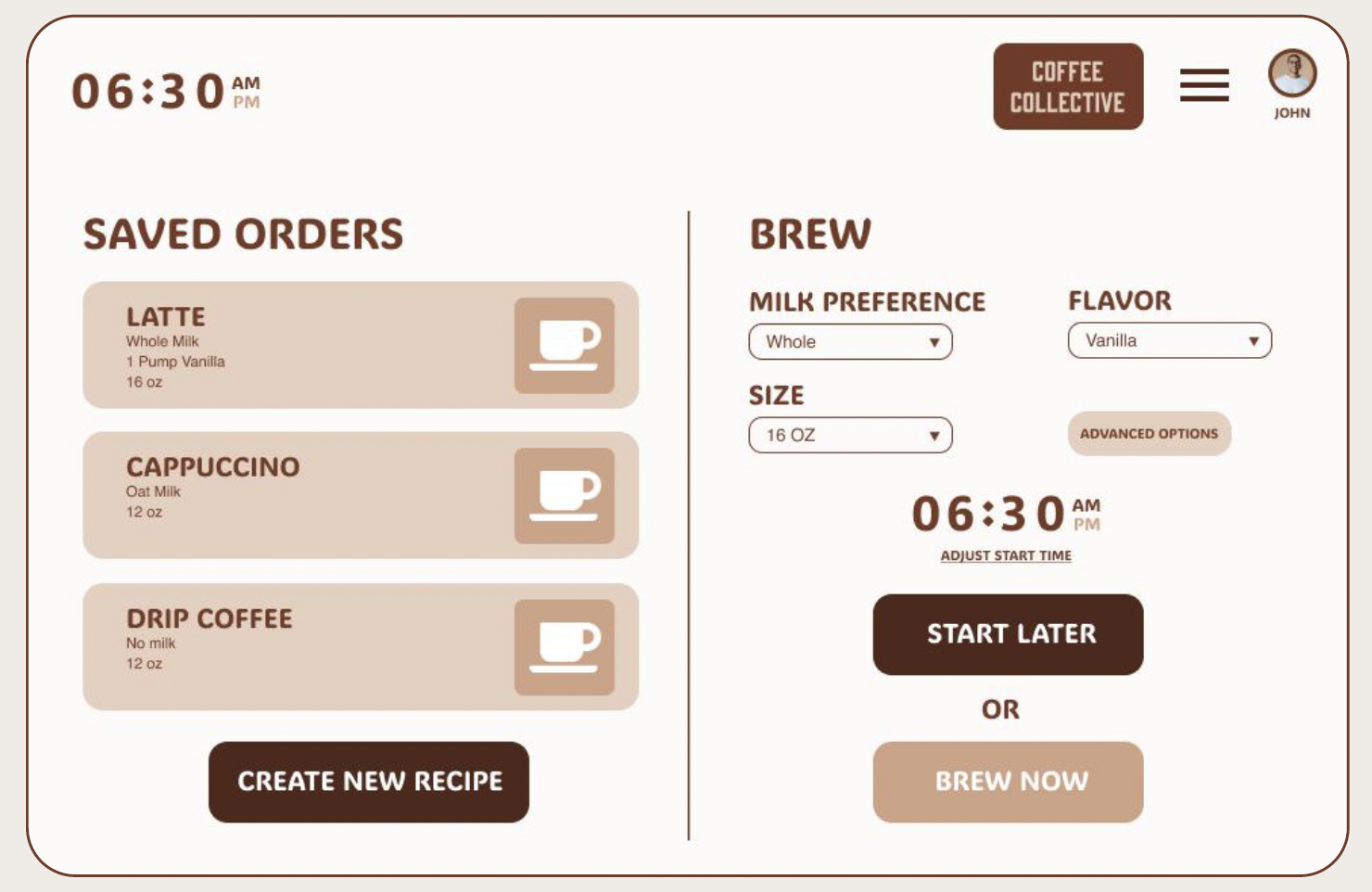
Coffee ordering app interface showing saved orders, brew options, and start time for coffee

7. Testing (2nd Round)

| 7 Participants

Adults participants ages 19 - 55.

Participants of varying coffee drinking habits and technology familiarity were chosen to enhance the focus on usability rather than product enjoyment.

57% are daily coffee drinkers.

28% are occasional coffee drinkers.

14% are not coffee drinkers.

28% describe themselves as not tech-savvy.

28% work in technology.

14% use technology regularly.

| 4 Tasks

  • Schedule a coffee in advance.

  • Pair the device with the coffee machine.

  • Add a brew recipe to your profile.

  • Start a coffee brew on the machine interface.

| Findings

100% task success rate.

Time on task decreased.

Error rate decreased.

28% improvement in navigation ease due to enhanced button verbiage.

Participants recommended simplifying the customization options further.

Participants recommended a recurring schedule feature.

Participants expressed that the progress bar should have stages with a short narrative of what is happening.

Next Steps

| A/B Testing

A/B Testing should be conducted on button verbiage, CTA placement, and UI components such as the progress bar.

| Additional Features

Artificial intelligence powered brew suggestion.

Recurring brew scheduling.

Application support on smart devices like watches, tablets, etc.

Coffee Collective’s own roasted coffee beans with subscription based service.